Semester thesis · 2022
GluKIT: A connected approach to diabetes care
- ROLE
- UX & Industrial Designer
- TEAM
- Solo project
- DURATION
- 6 months · 2022
01 / Overview
A device and service for everyday diabetes care.
GluKIT began as my sixth-semester thesis project: a lifestyle disease diagnostic device that could fit naturally into a user’s daily routine. After narrowing the scope to diabetes, I studied monitoring practices, existing glucometers, market trends, and user needs in the Indian context.
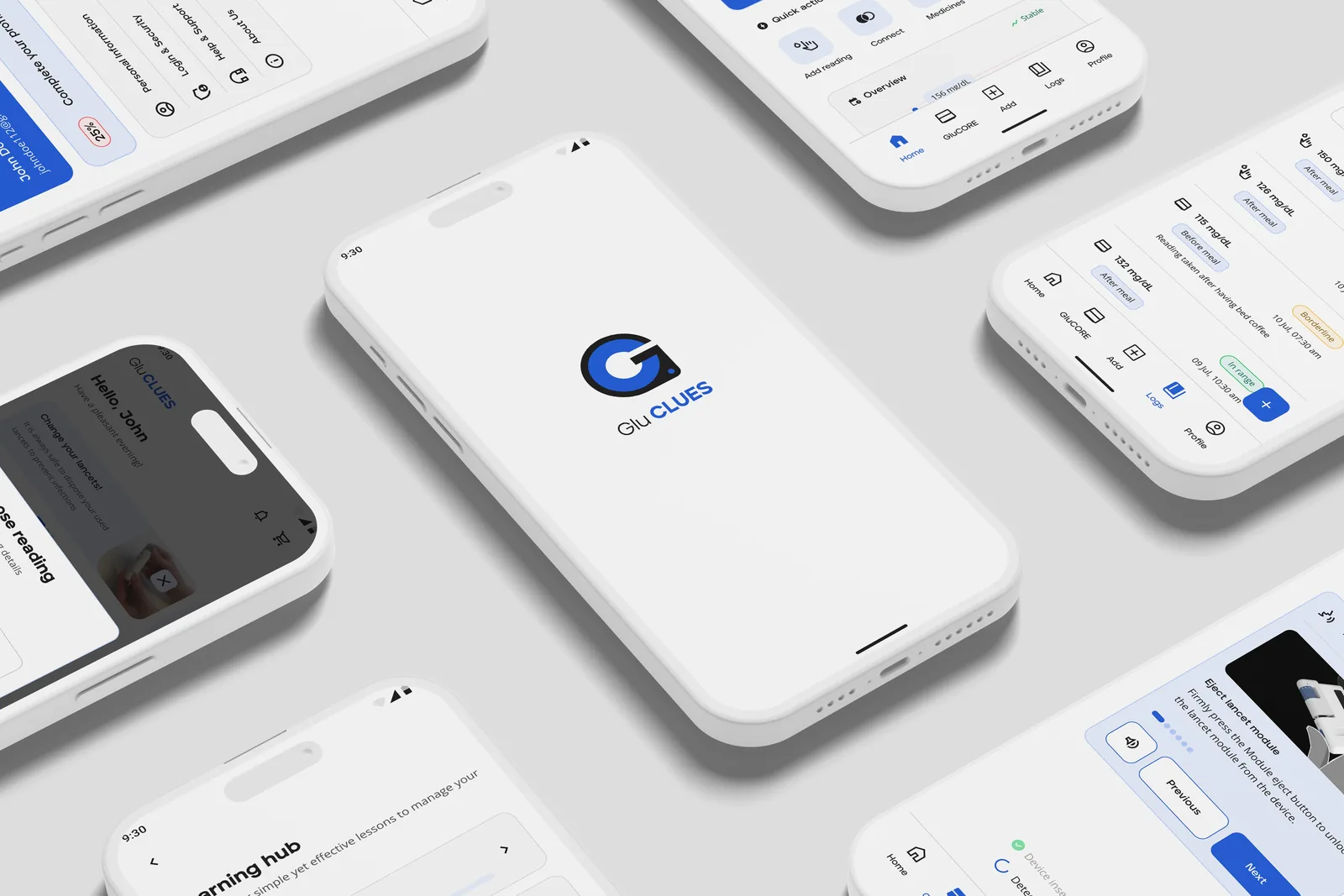
The result is a connected product-service concept: GluCORE, a Point-of-Care Testing device for self-monitoring blood glucose, and GluCLUES, its companion application.
A personal starting point.
After helping a relative begin monitoring following a Type 2 diabetes diagnosis, I saw how difficult it was to use the device and understand the habits needed to sustain a new lifestyle. That experience shaped the project’s focus.
02 / Device research
Understand the routine before redesigning the device.
How can a monitoring device help diabetes-conscious users in India manage their new lifestyle through useful, everyday improvements?
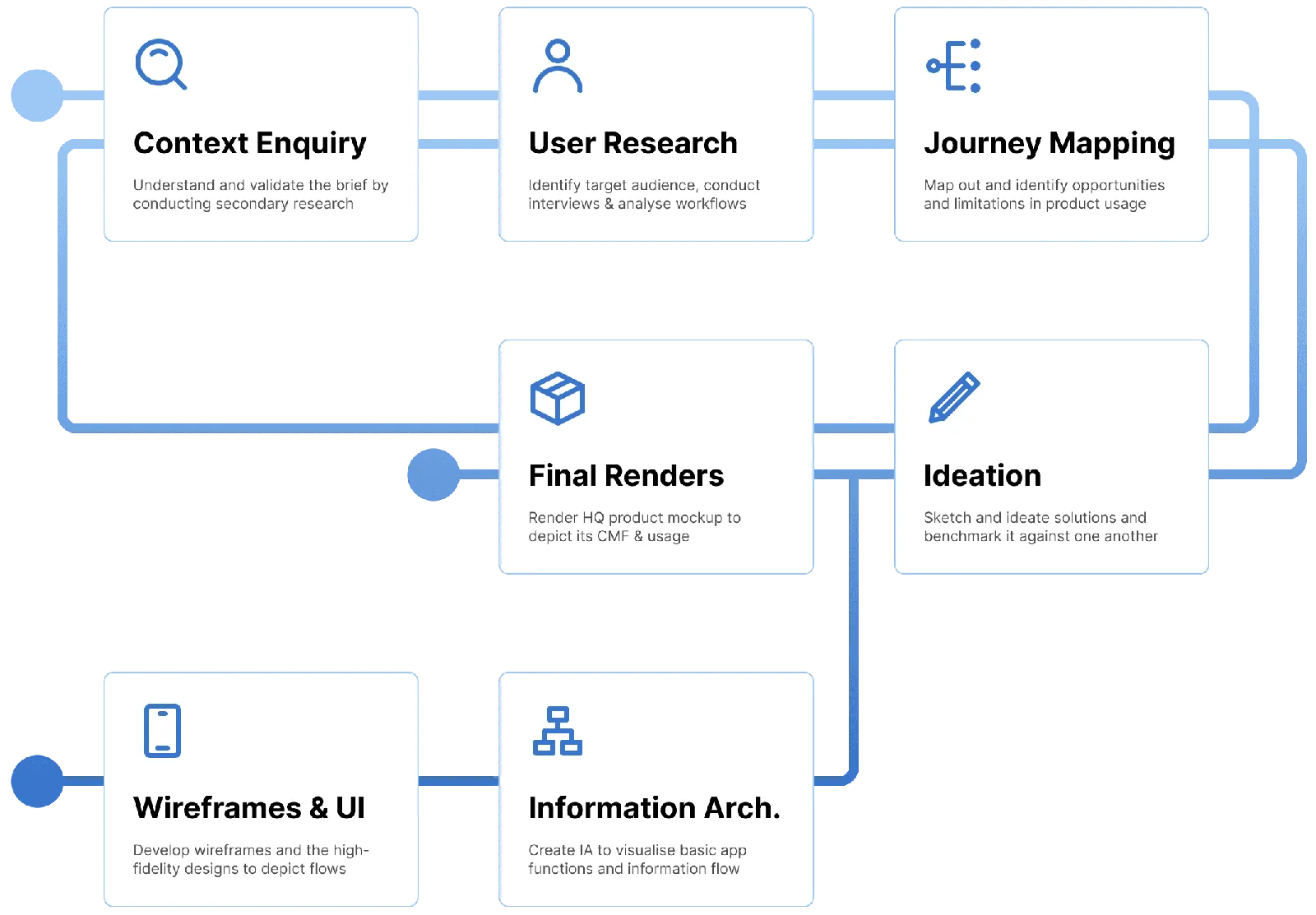
The first phase focused on making measurement easier and more time-efficient, while improving the device’s efficiency. Market research, product comparisons, and users’ monitoring journeys informed the design.
Market and product analysis.
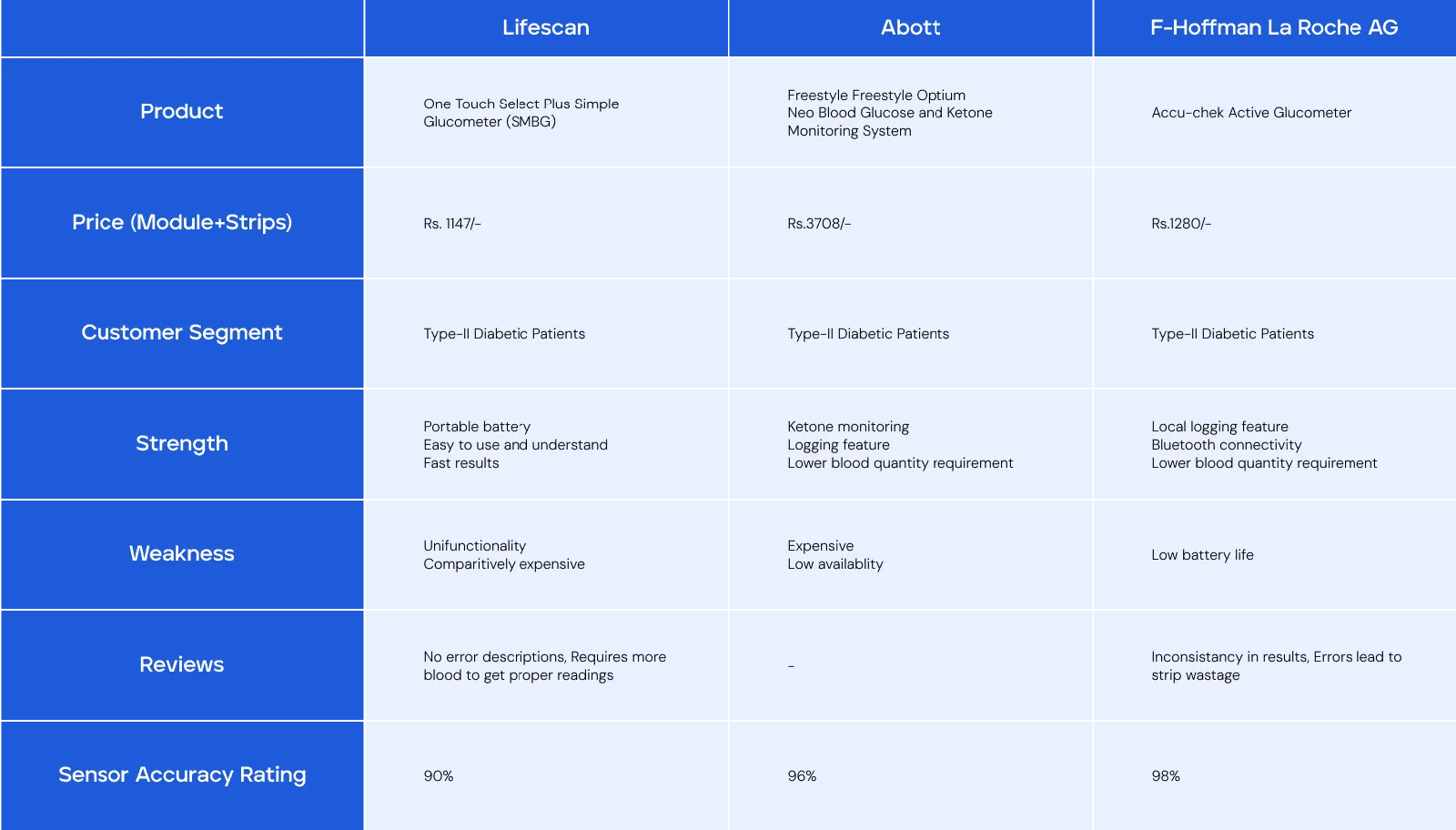
The project’s market study examined how pricing, test-strip revenue, technology, and user needs influence device design. Popular glucometers were compared to identify their strengths, weaknesses, and opportunities for improvement.
From readings to a daily routine.
Survey participants shared their experiences of taking a reading. A customer journey map helped identify where the device could provide clearer feedback, encourage correct use, and make logging easier.
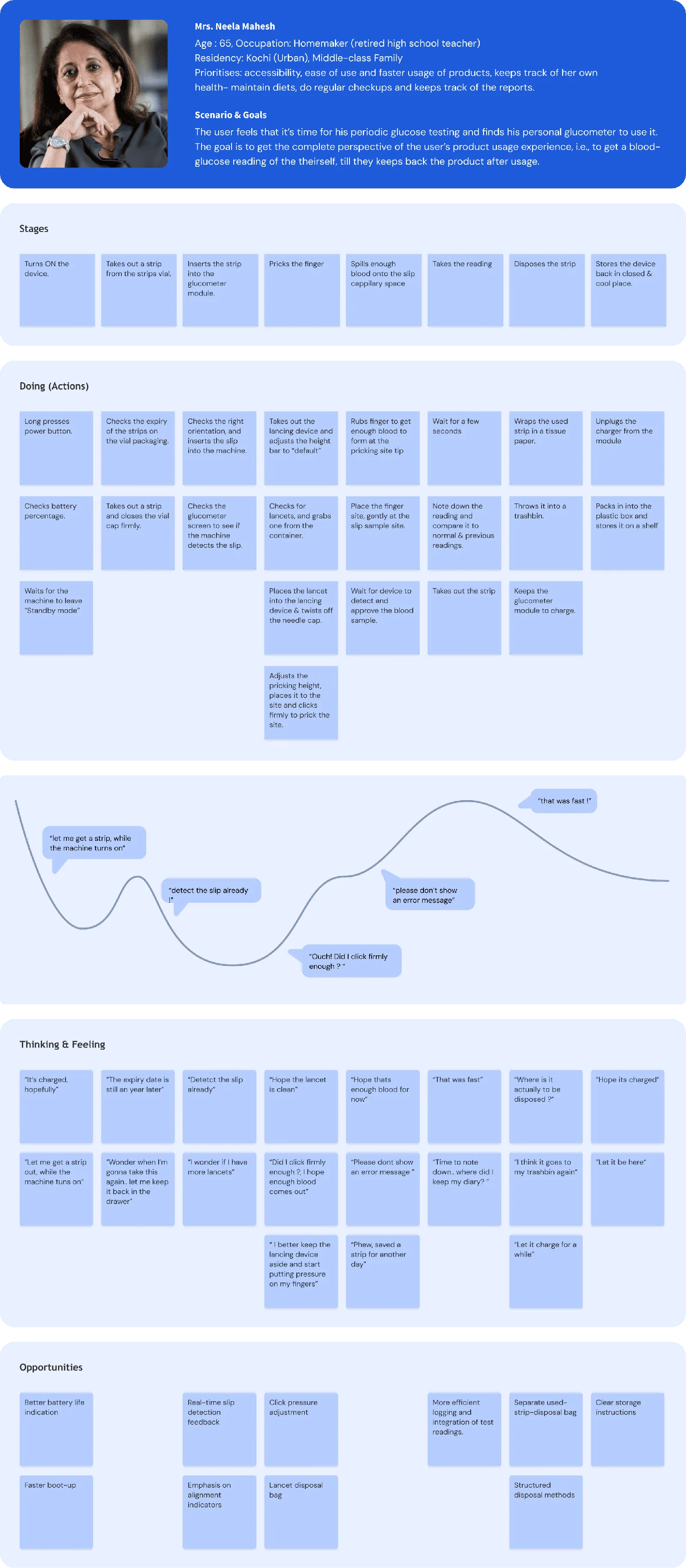
Clear feedback
Simple, understandable feedback helps users take informed actions and reduces confusion.
Correct use and disposal
Research surfaced uncertainty around pricking tools and the disposal of used test strips.
A record that travels with the user
Many users recorded glucose readings in a physical diary to take to their doctor.
03 / GluCORE
A compact, connected glucometer.
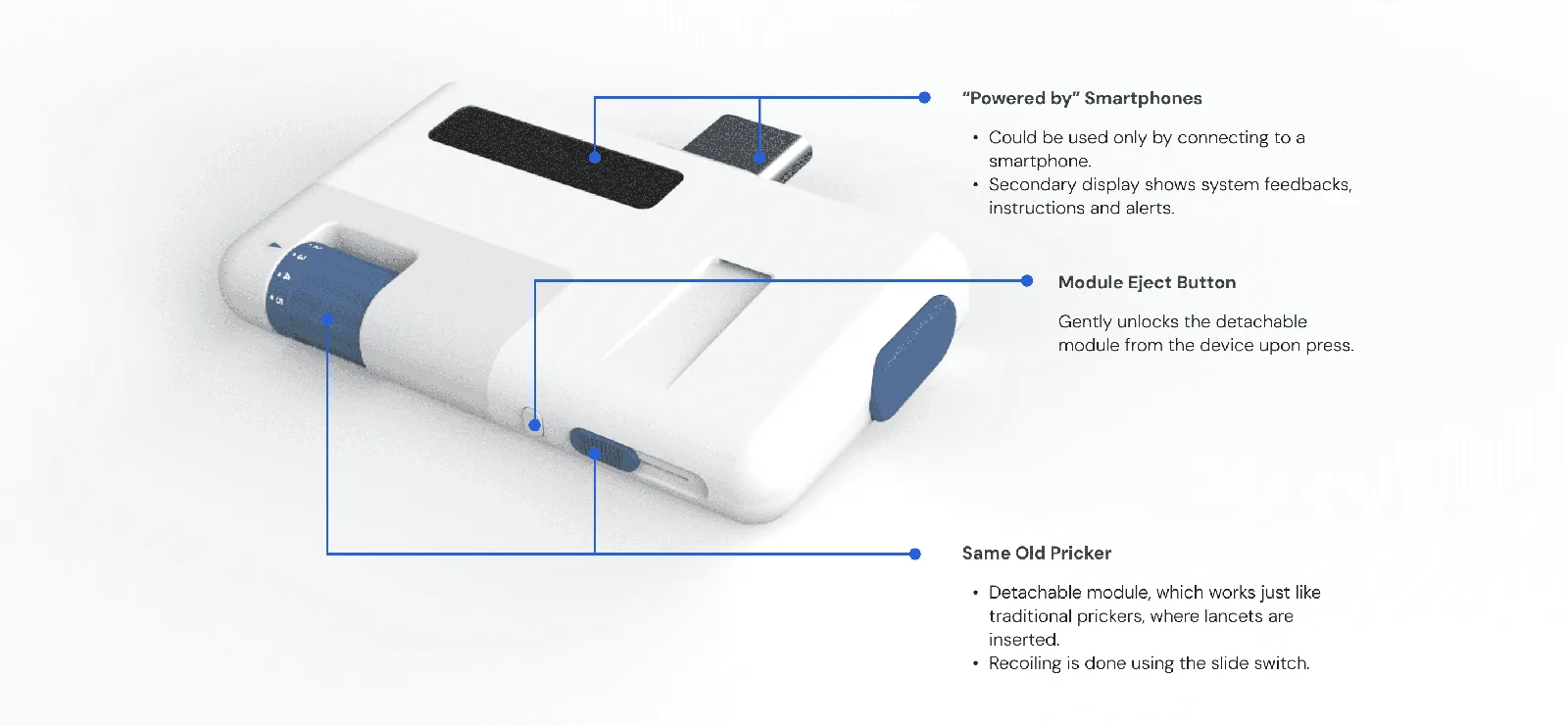
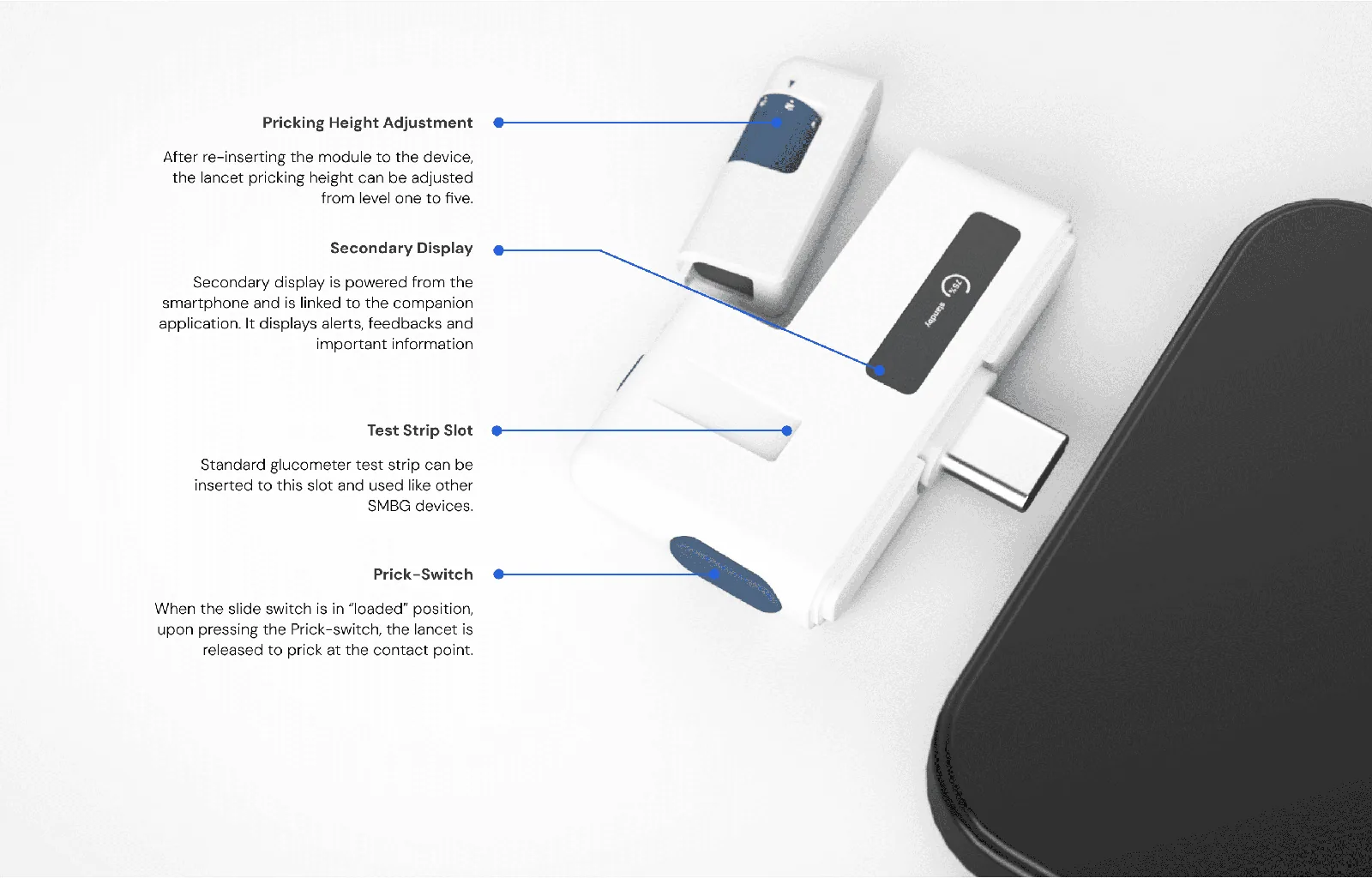
GluCORE combines a blood glucose monitoring device with an integrated pricker and a smartphone connection. Using the phone’s display allows a smaller device and gives readings more room and context.
Plug into a smartphone
Use the phone’s screen to show more information while reducing the need for a separate display and larger batteries.
Integrate the pricker
Reduce the accessories users carry and encourage use of a dedicated pricking tool.
From core ideas to a physical product.
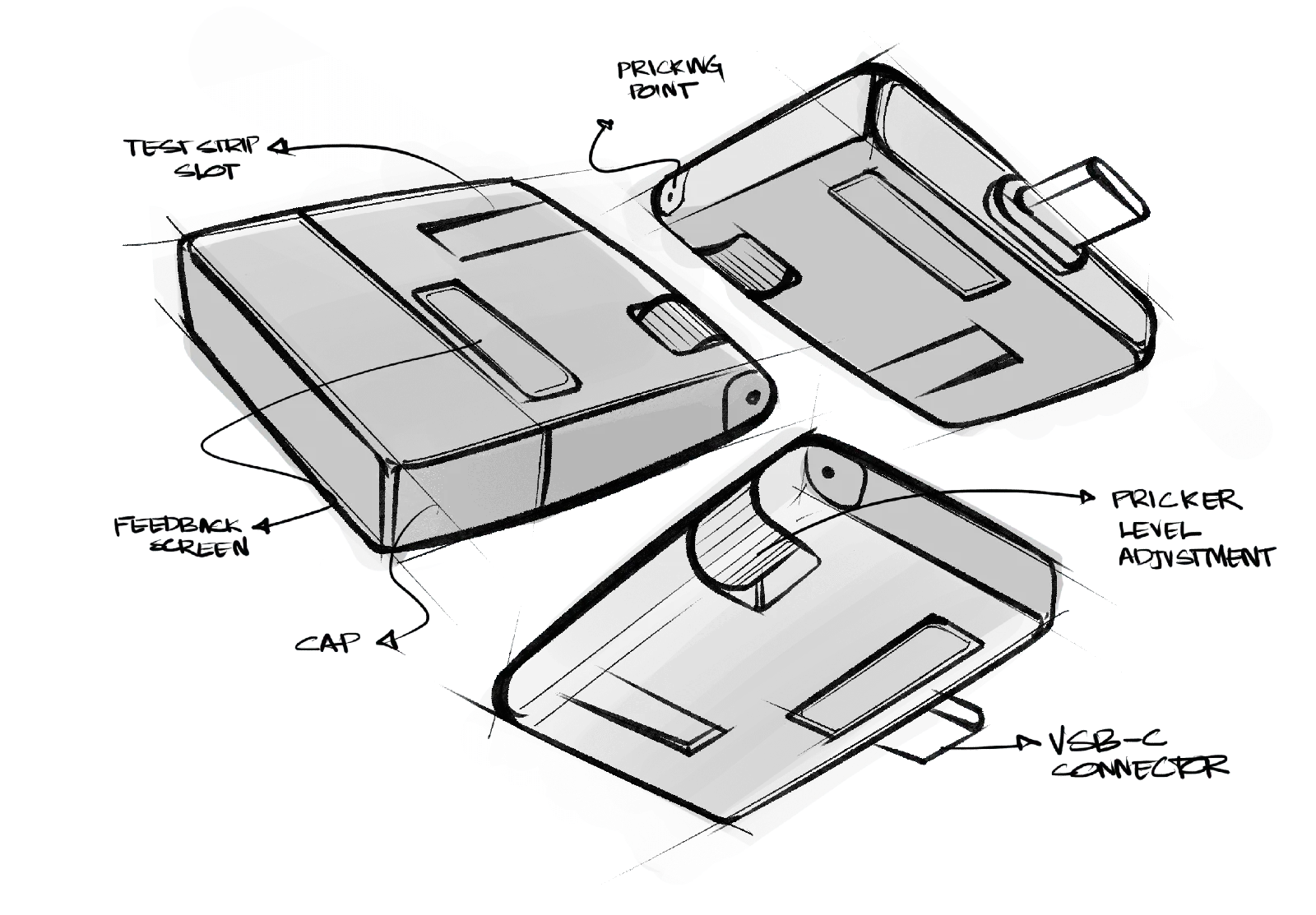
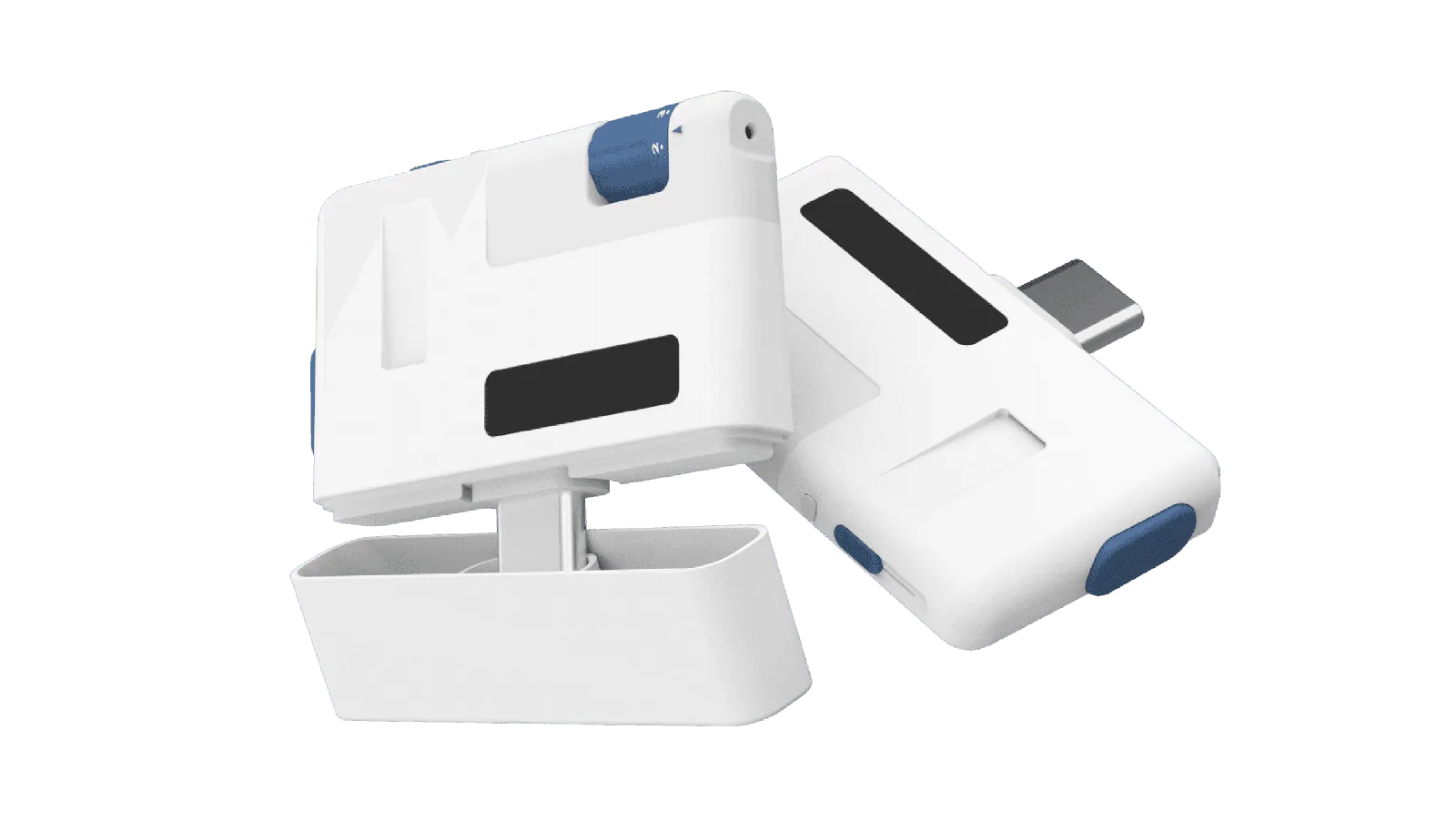
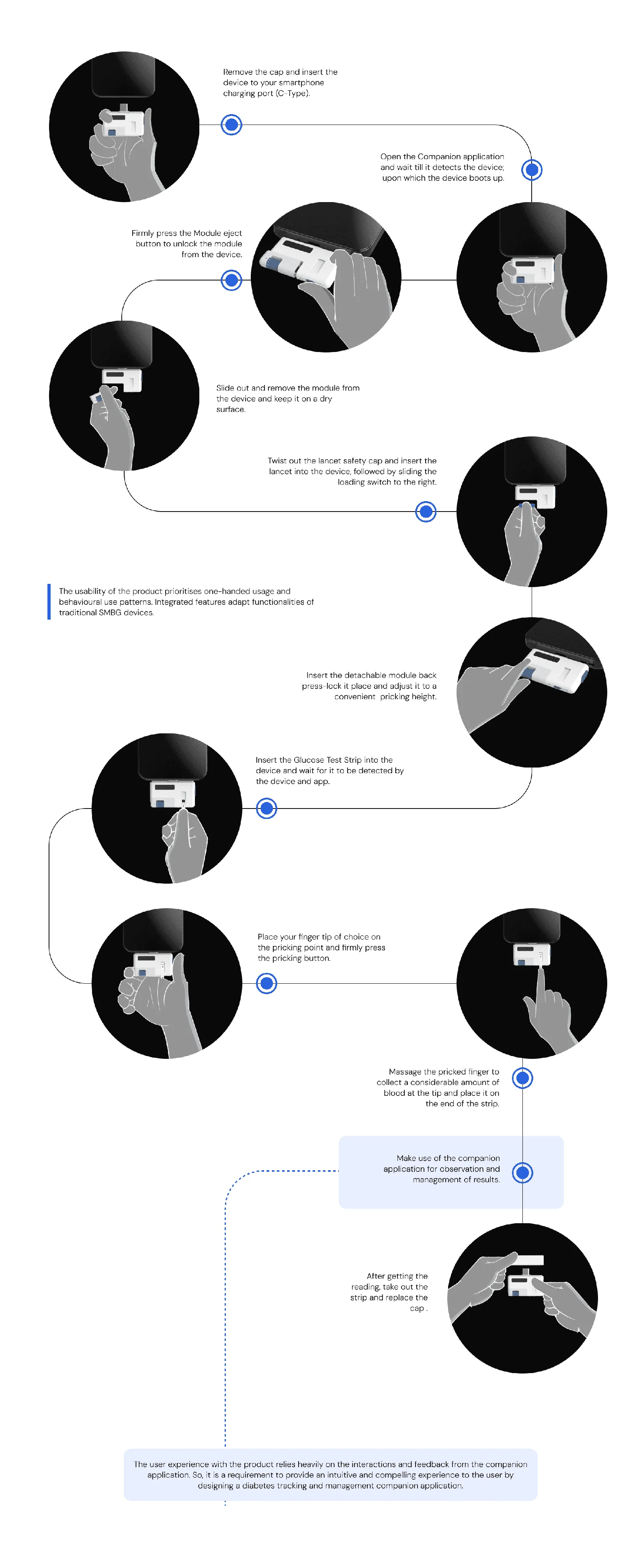
Designed for use on the go.
04 / App research
Connect the reading to the rest of daily life.
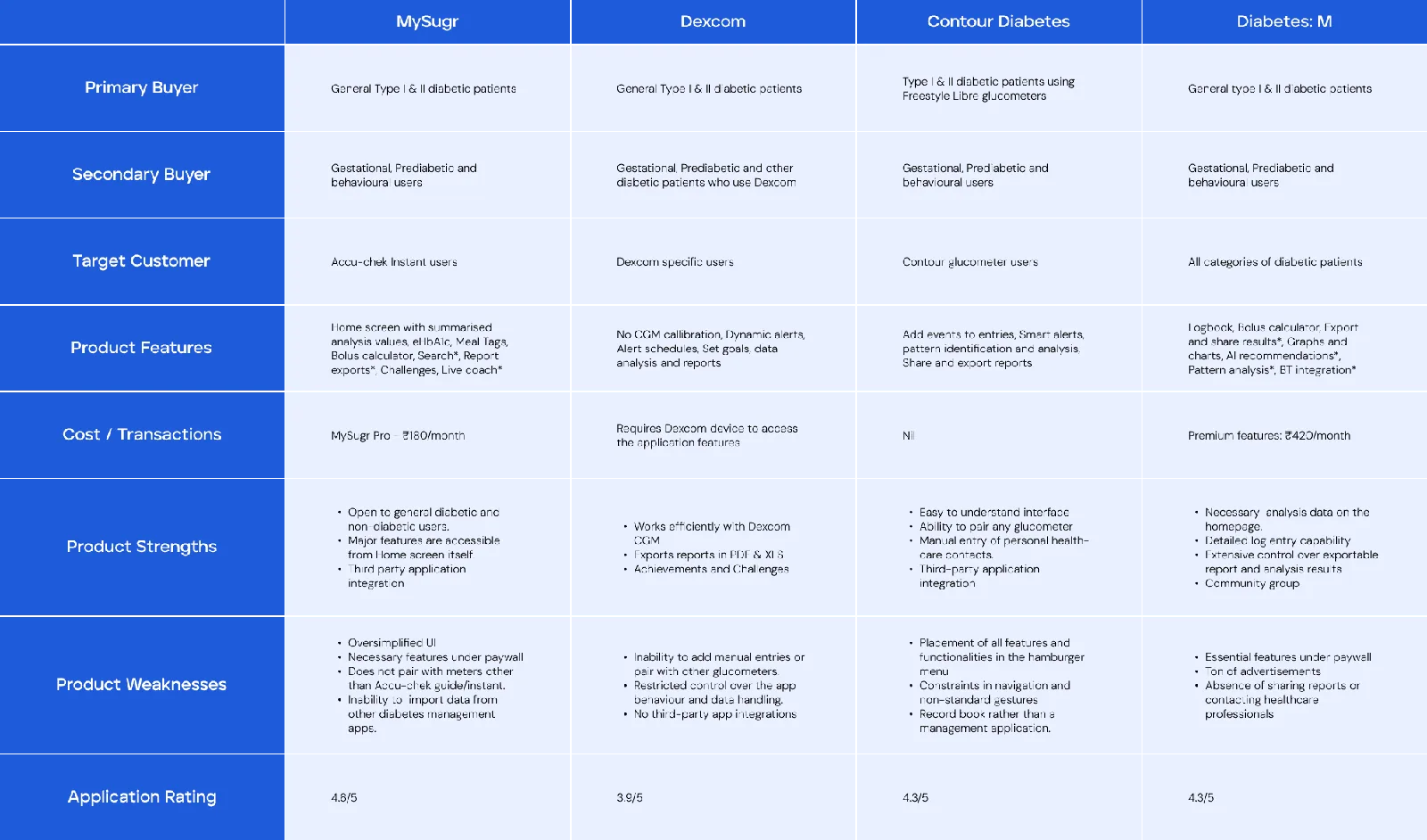
The second phase explored a companion application to bridge measuring, logging, and diabetes lifestyle management. Benchmarking compared MySugr, Dexcom, Contour Next One, and Diabetes:M, followed by desk research into adoption barriers and self-care behaviour.
What helps people adopt an app?
Barriers
Performance, digital literacy, unfamiliarity, perceived relevance, and satisfaction with existing routines can limit adoption.
Facilitators
Recommendations, intuitive navigation, convenient inputs, clear feedback, and existing self-care habits can support use.

Learning from existing users.
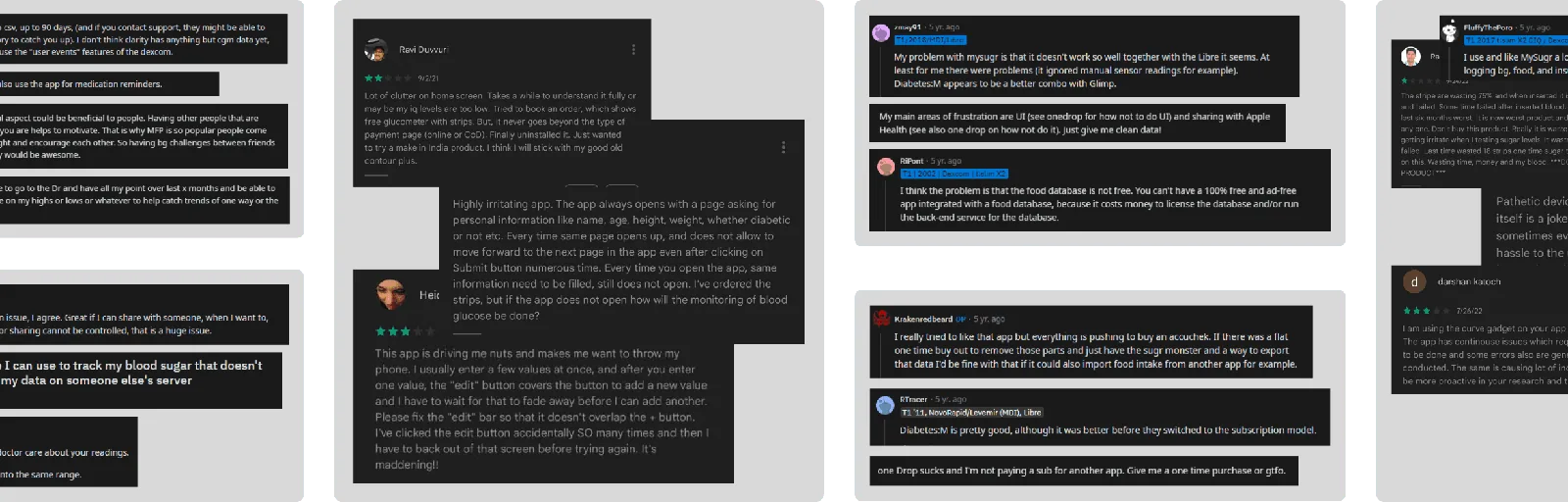
App reviews, community forums, and social groups highlighted concerns about reading errors, response latency, data control, import and export, and features behind paywalls.
Building empathy and defining priorities.
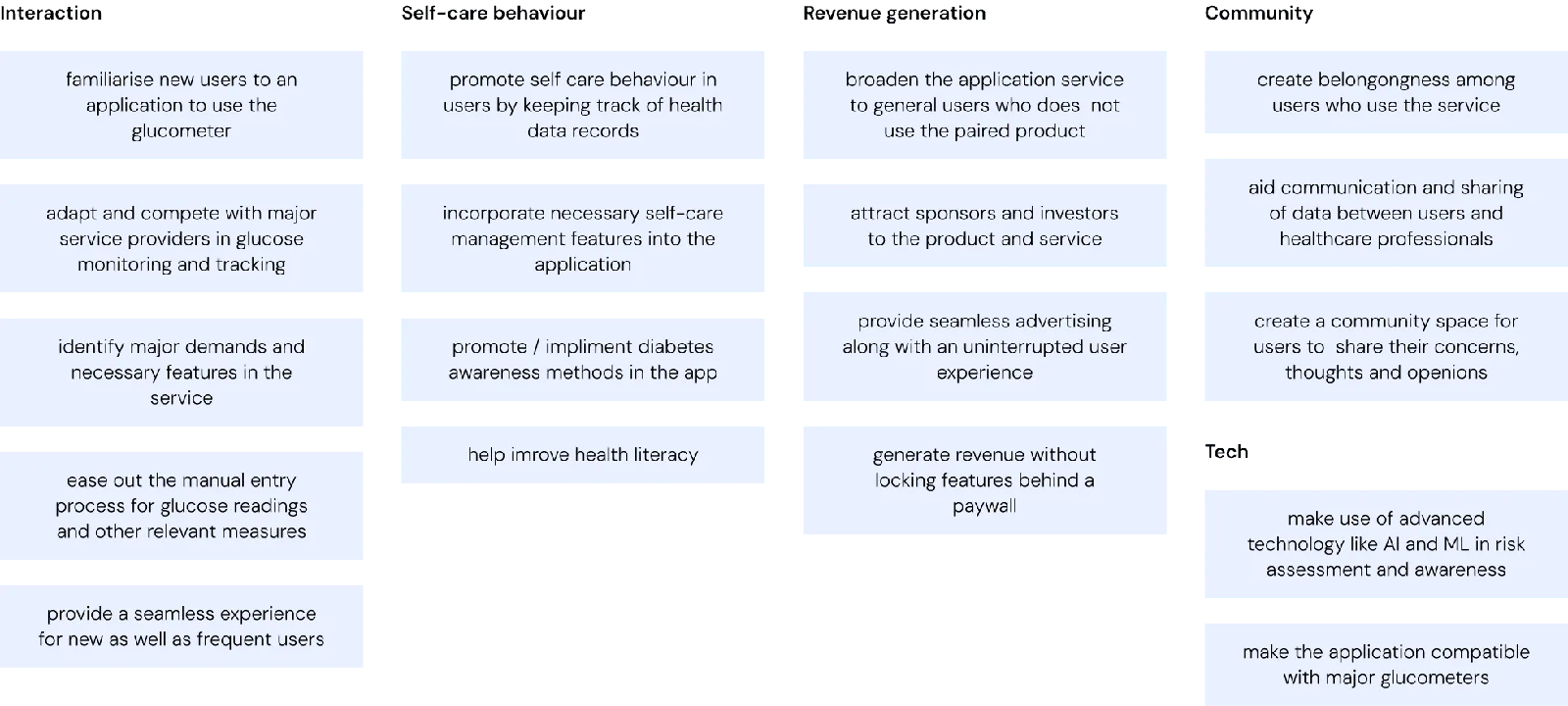
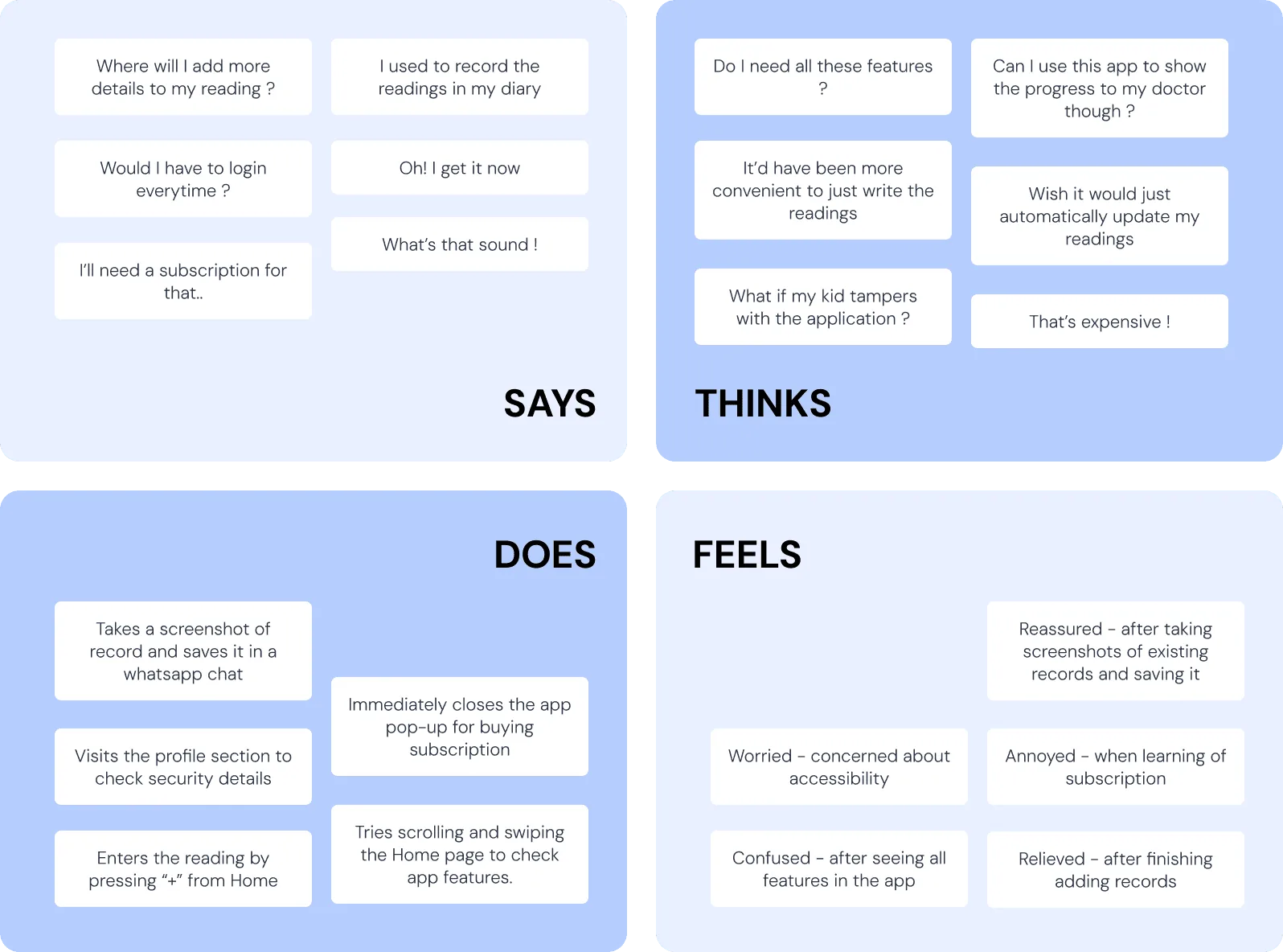
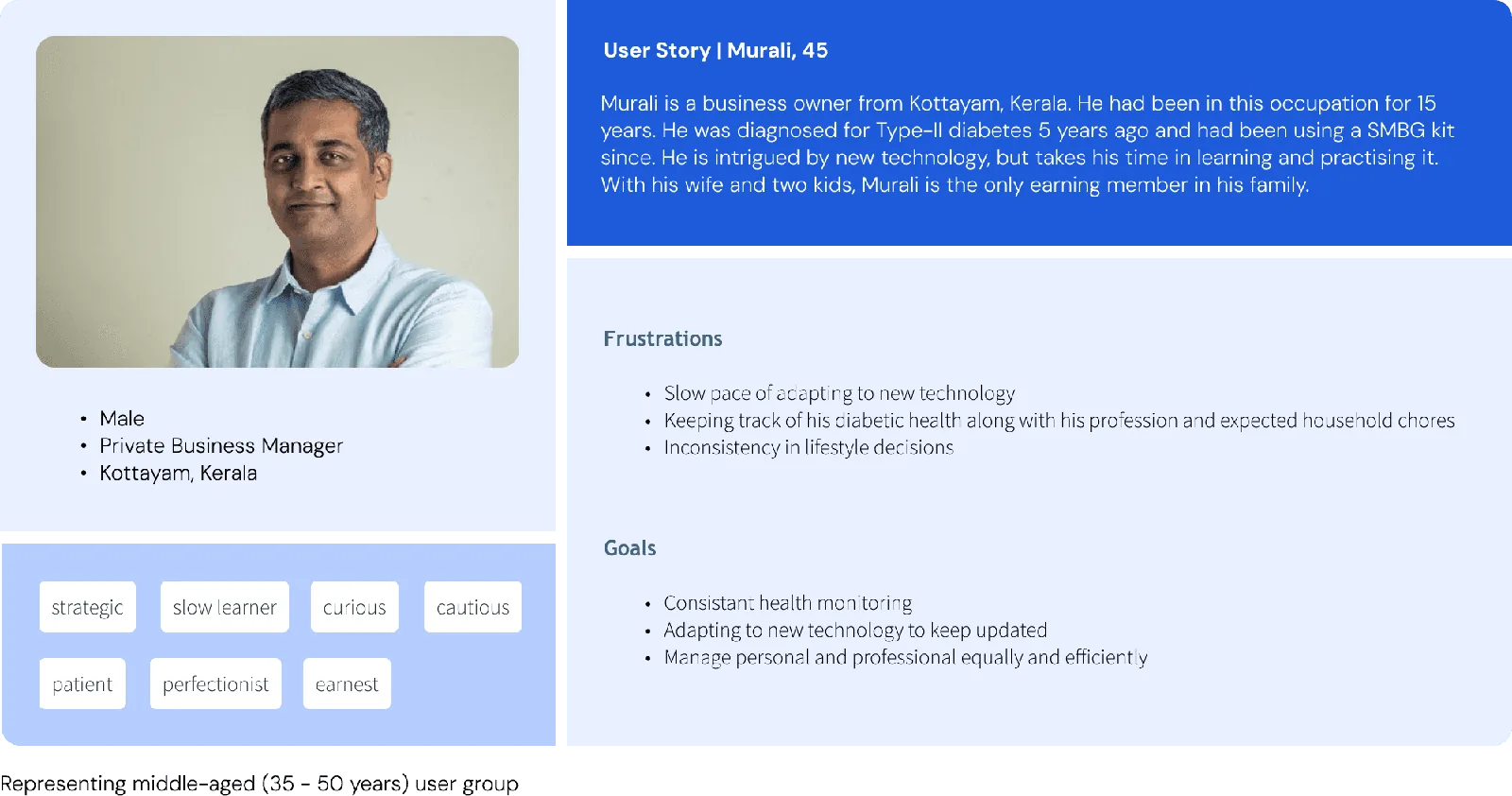
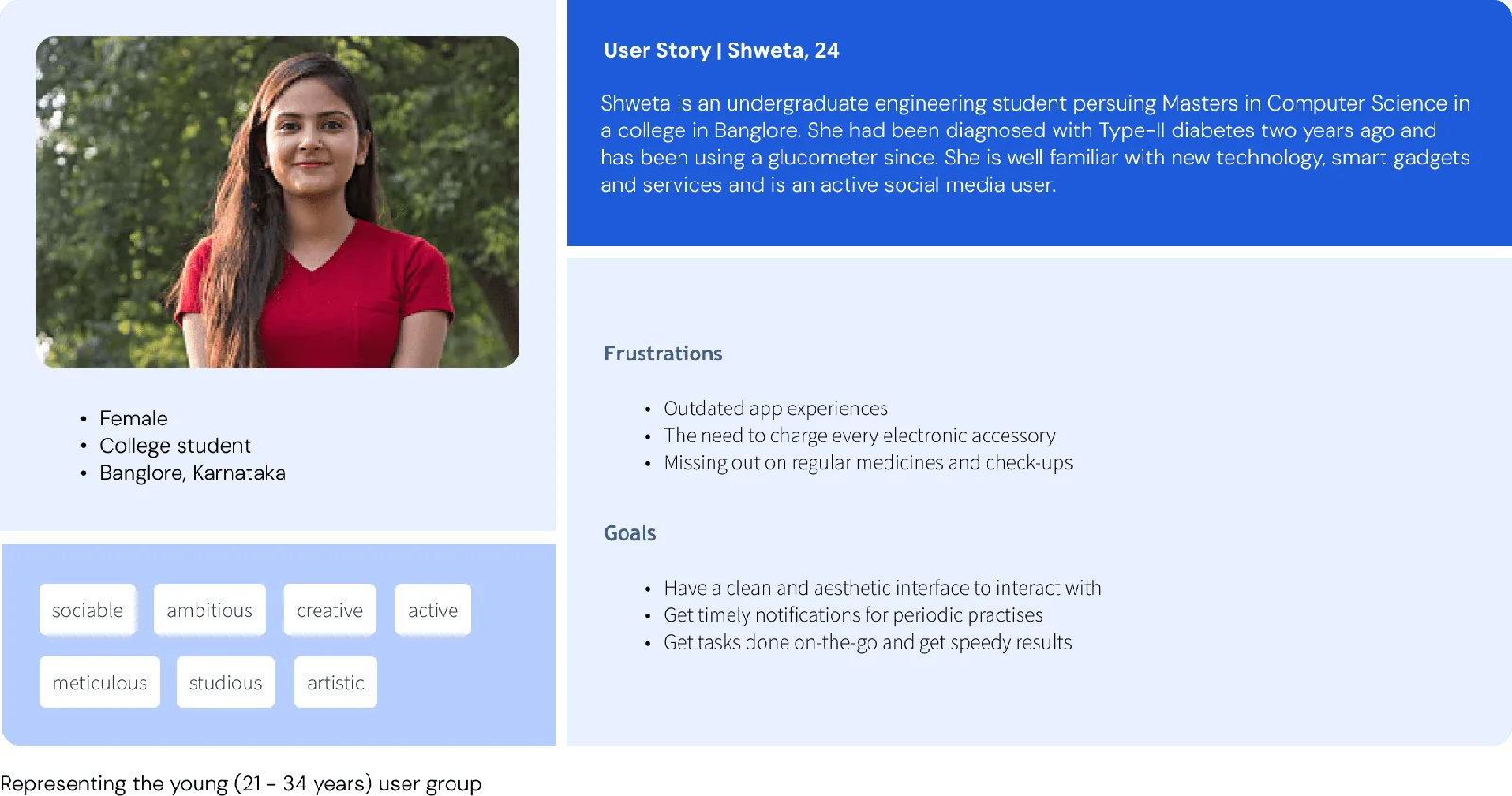
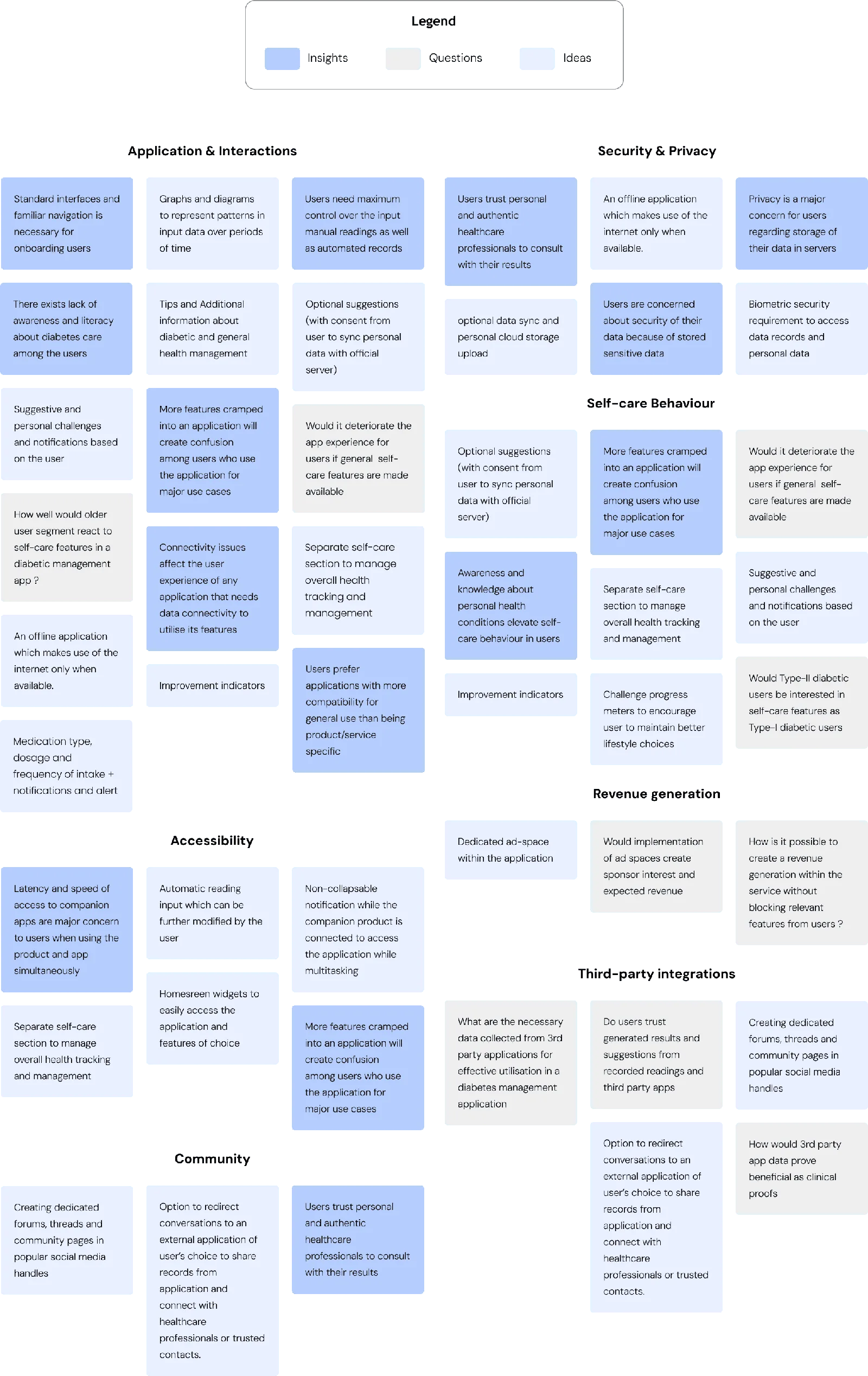
For the companion app, primary user research was limited. Peer role-playing and contextual simulations supported empathy building, and desk research informed two user personas. Insights, questions, and ideas were organised into an affinity map.
05 / GluCLUES
One companion for monitoring and management.
GluCLUES was designed for GluCORE users, Type 2 diabetes users comfortable with smartphones, and diabetes-conscious people seeking health management support. The priorities were a seamless device connection, familiar interactions, quick access to important features, and control over recorded information.
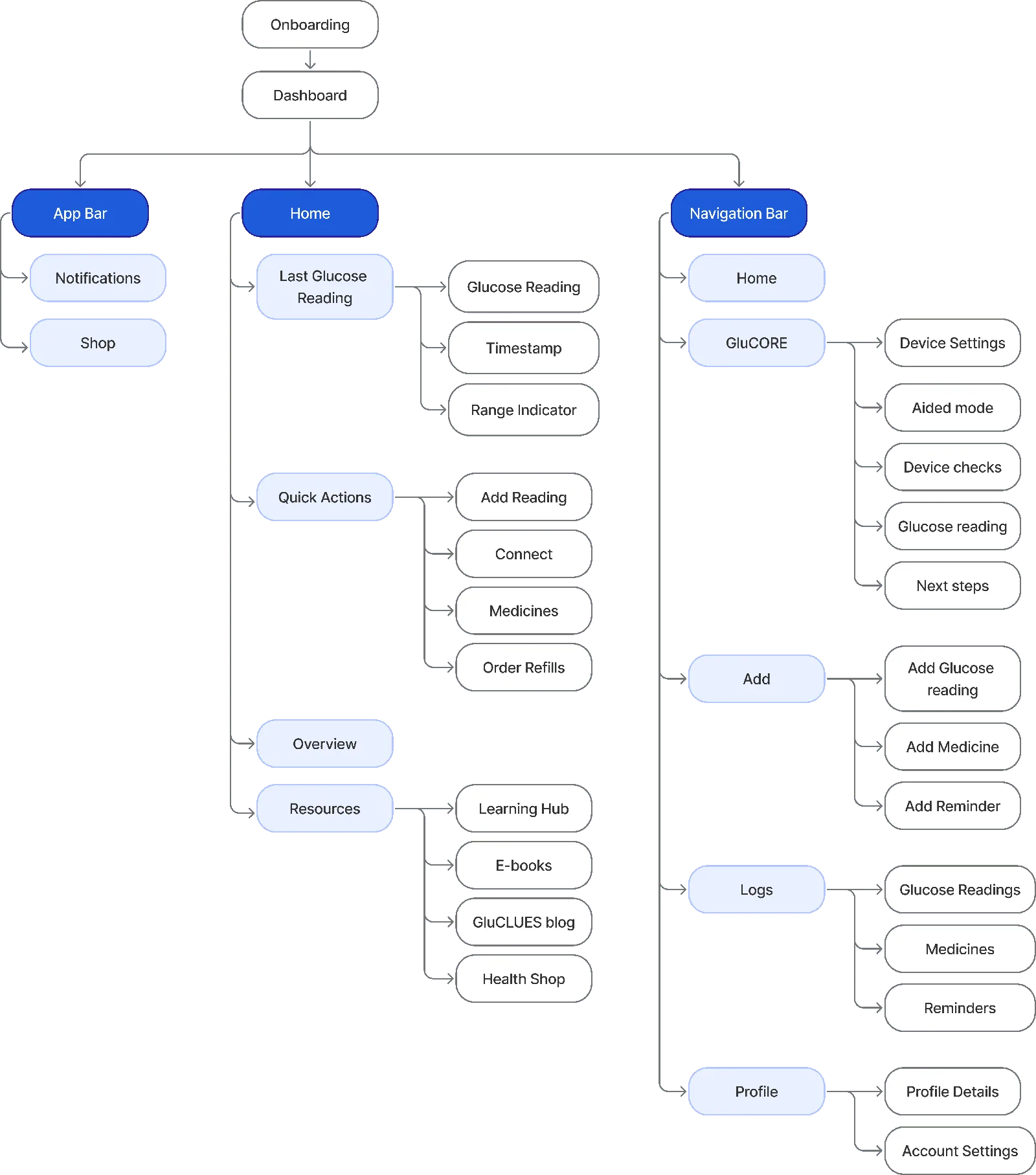
Organising the experience.
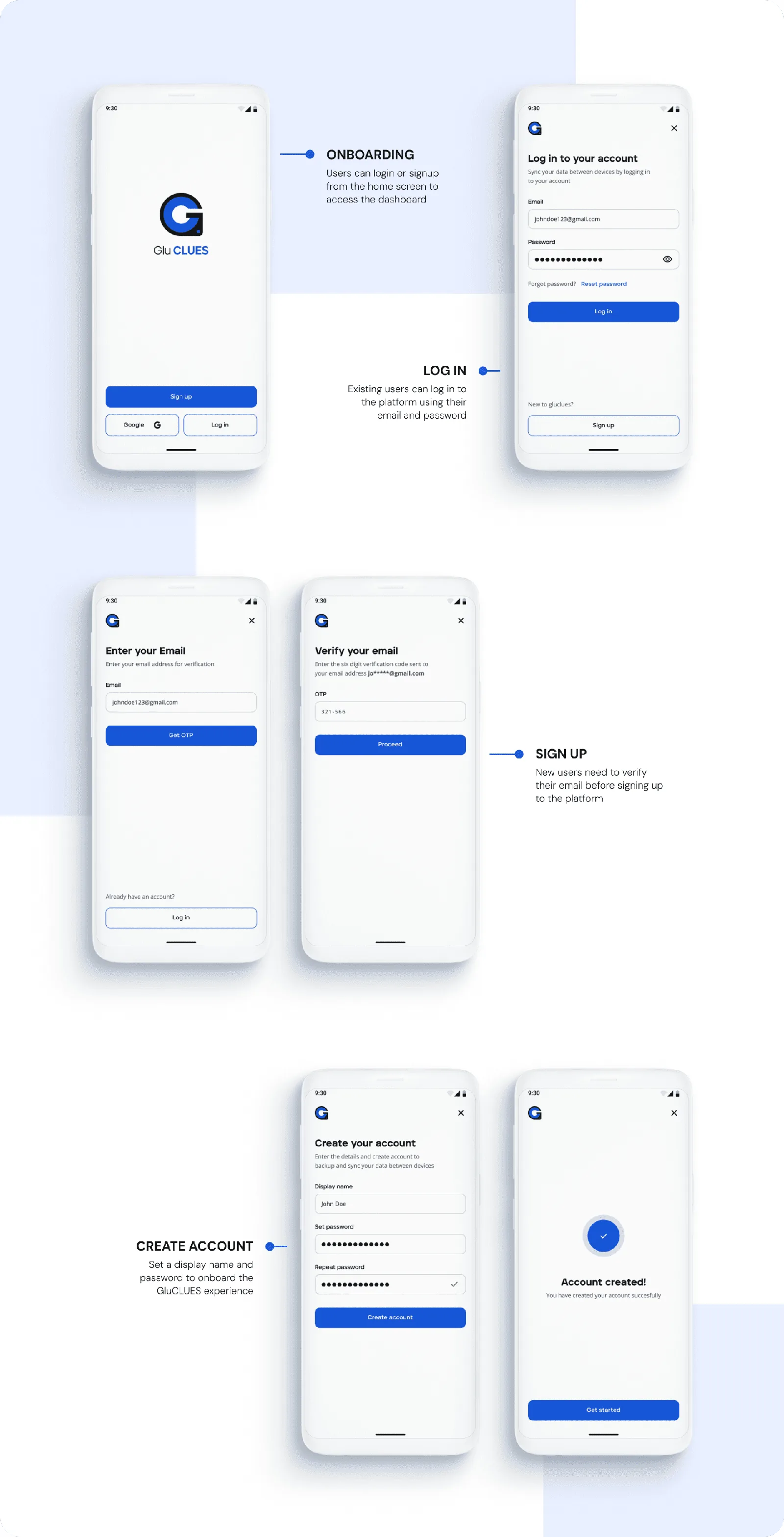
Getting started and connecting the device.
Measure, record, and understand.
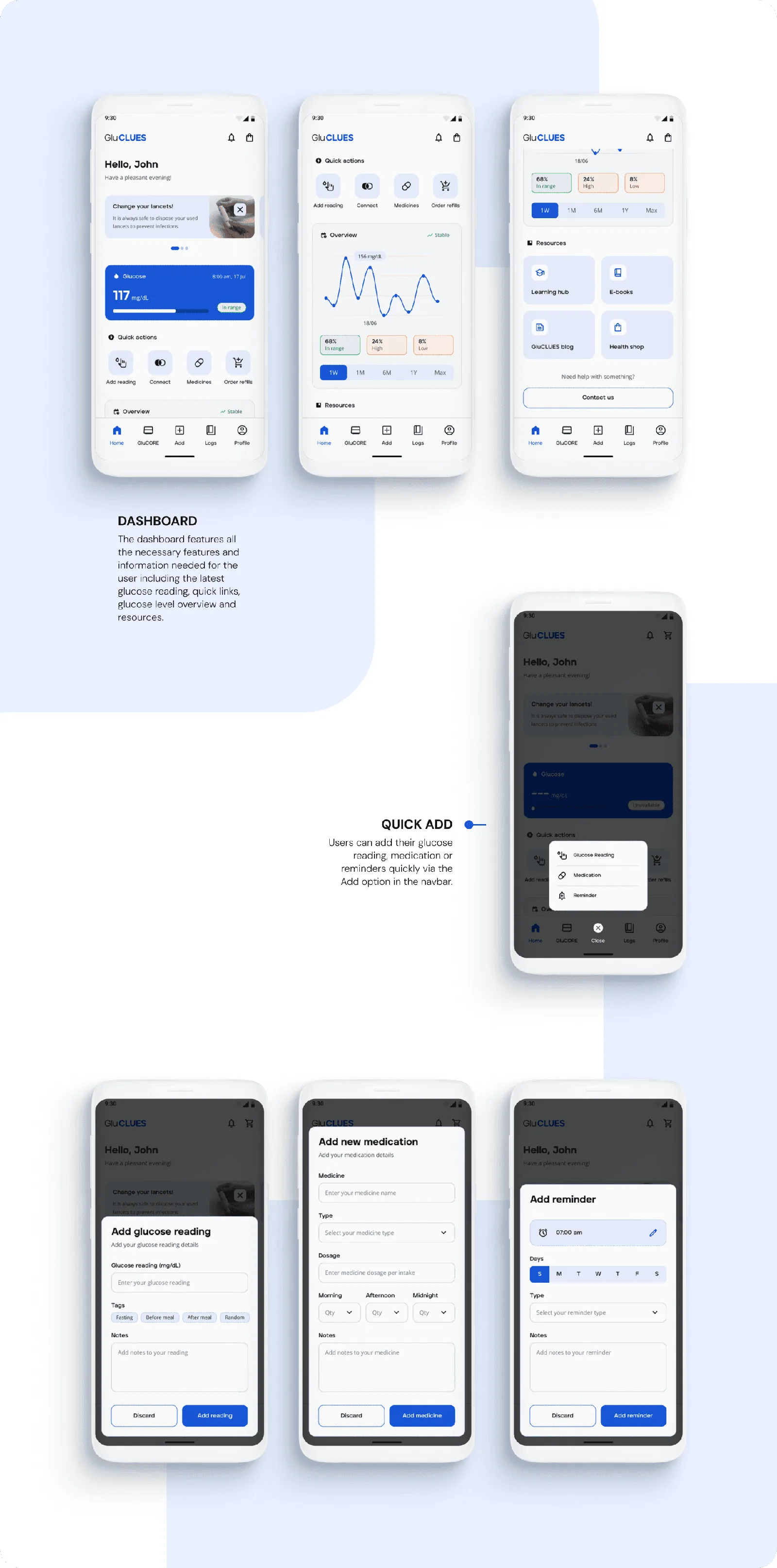
Support for a daily routine.
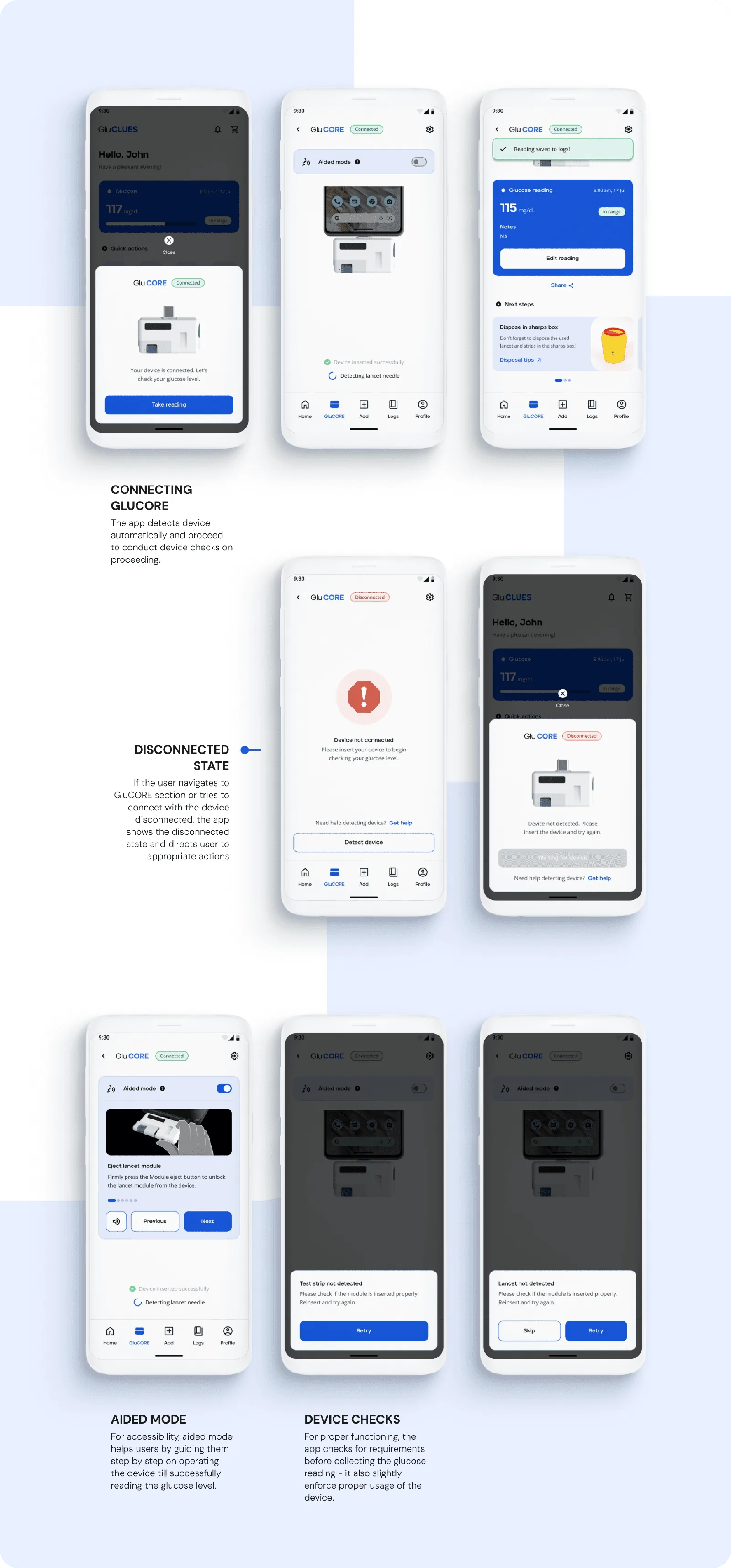
Manage information and follow-up care.
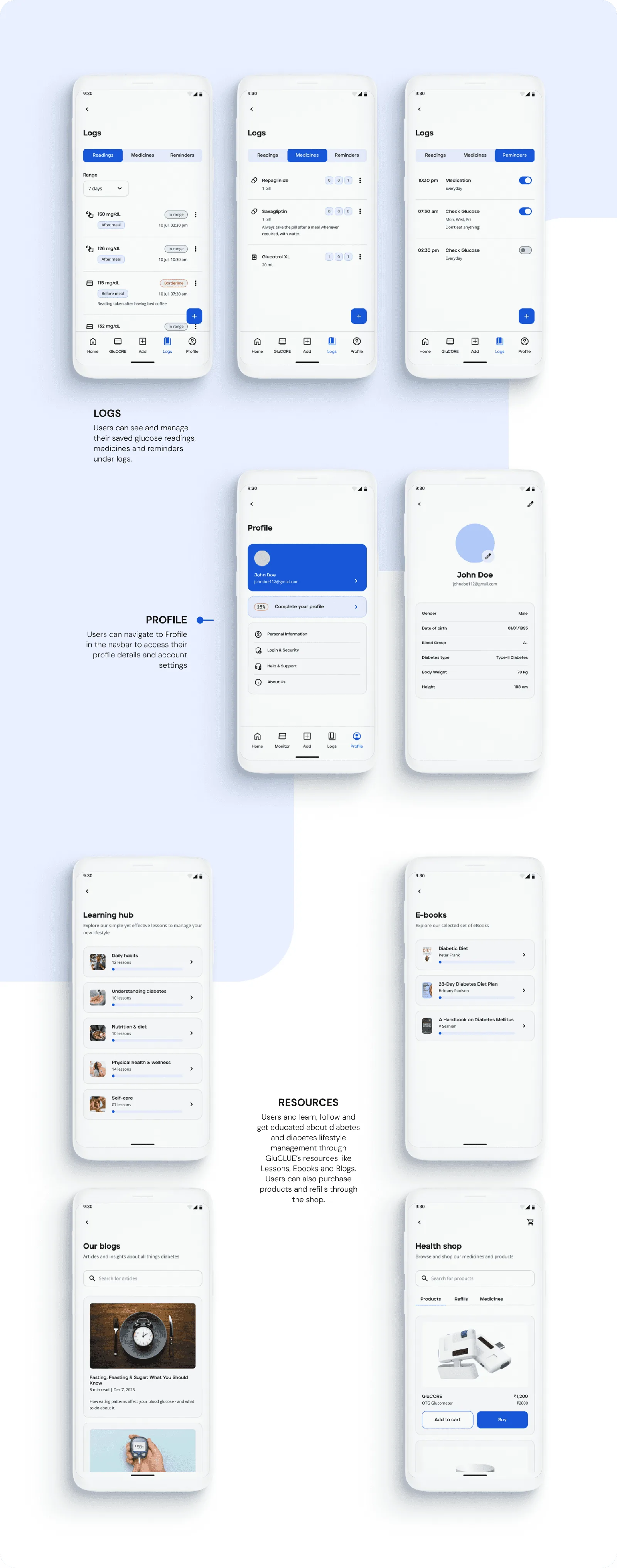
06 / Next steps
A concept ready for further validation.
The study focused on self-monitoring blood glucose rather than continuous glucose monitoring. The new device and its companion app would both require users to learn a new routine, and the project timeline limited extensive app-specific user research and usability testing.
Test with real users
Validate and refine the device and app together through usability testing and feedback.
Design for carrying
Develop compact, comfortable packaging and a carry case suited to daily use.
Plan for scale
Revisit the product and service infrastructure to support broader adoption and long-term growth.